1. Join Fish Time Studios' game
Open Throw a Seed on Roblox and check that the creator is Fish Time Studios. The first activity you need is a pull-up bar. Another similarly named Roblox game uses a weight bench, so its instructions and codes do not apply here.
For your first session, aim to complete one loop: gain Throw Power, launch a seed, see the plant result, and put that plant into your garden. Once you have placed your first plant, use the throw timing practice drill to work on distance.
2. Start pull-up training
- Find a pull-up bar. Walk to the bar in the game and use the interaction prompt that appears on your device.
- Train and watch your progress. The PC walkthrough shows a level progress indicator while the character is doing pull-ups. A Stop button allows the player to leave the training activity.
- Look for a Throw Power increase. In the recorded level-up example at 3:31, the game displays a level-up and a higher Throw Power value. That is the result to recognize before you try another throw.
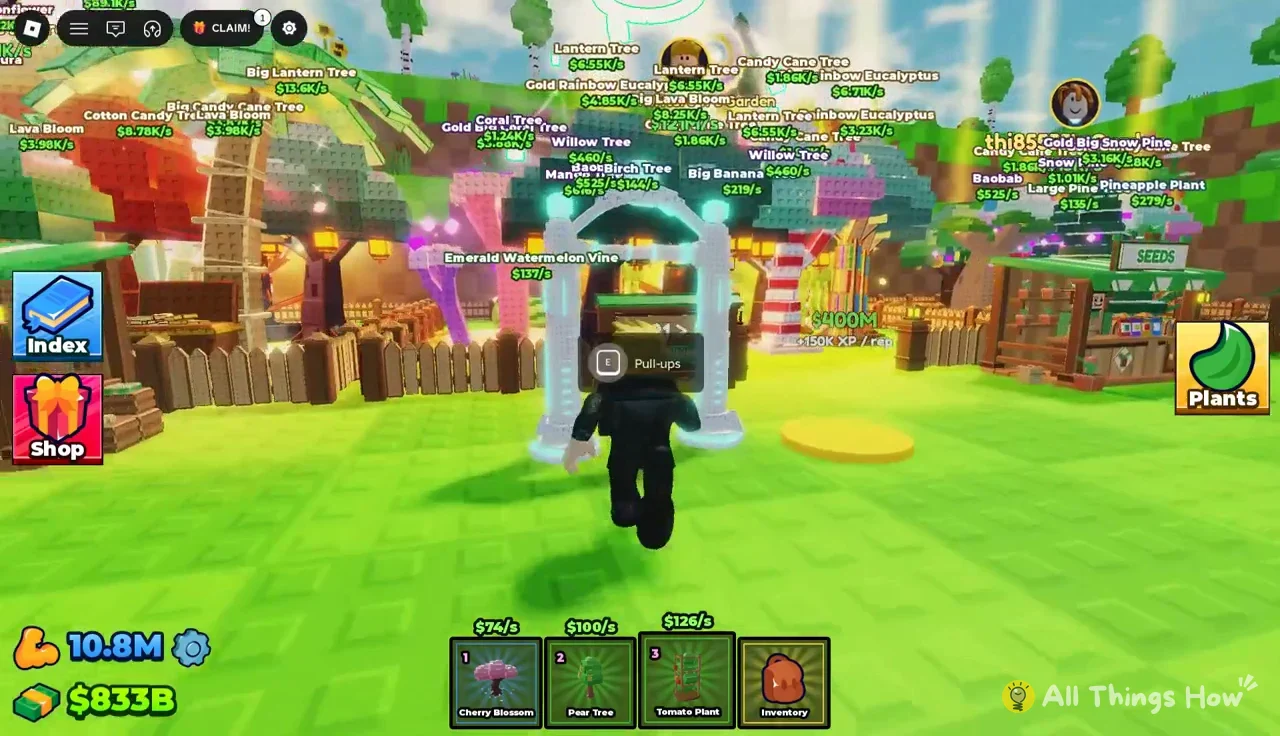
More strength supports longer throws. Bar upgrades are part of progression, but you do not need to purchase an expensive bar just to understand your first run.
3. Time your seed throw
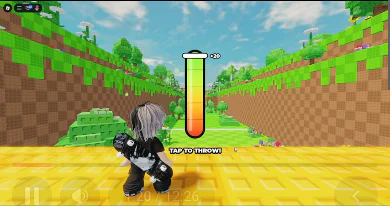
- Go to the throwing lane. Activate the throw prompt after you have trained.
- Watch the vertical timing gauge. PC recordings show a moving marker and a highlighted target cue, with labels such as TAP TO THROW or THROW. The gauge may appear in a different screen position on your device.
- Tap as the marker meets the cue. Do not release at a random point or assume that more strength makes timing irrelevant. The exact perfect-timing width is not provided in the official game description.
- Follow the flight. Watch the seed travel through the canyon and note any zone or luck indicators before it lands. Compare later throws after changing one factor at a time.
Gameplay chapters on YouTube
Raf official TV · PC footage
 ▶ Watch PC gameplay on YouTube · 1:20 ↗
Video thumbnail · Raf official TV on YouTube
4. Read the plant reveal
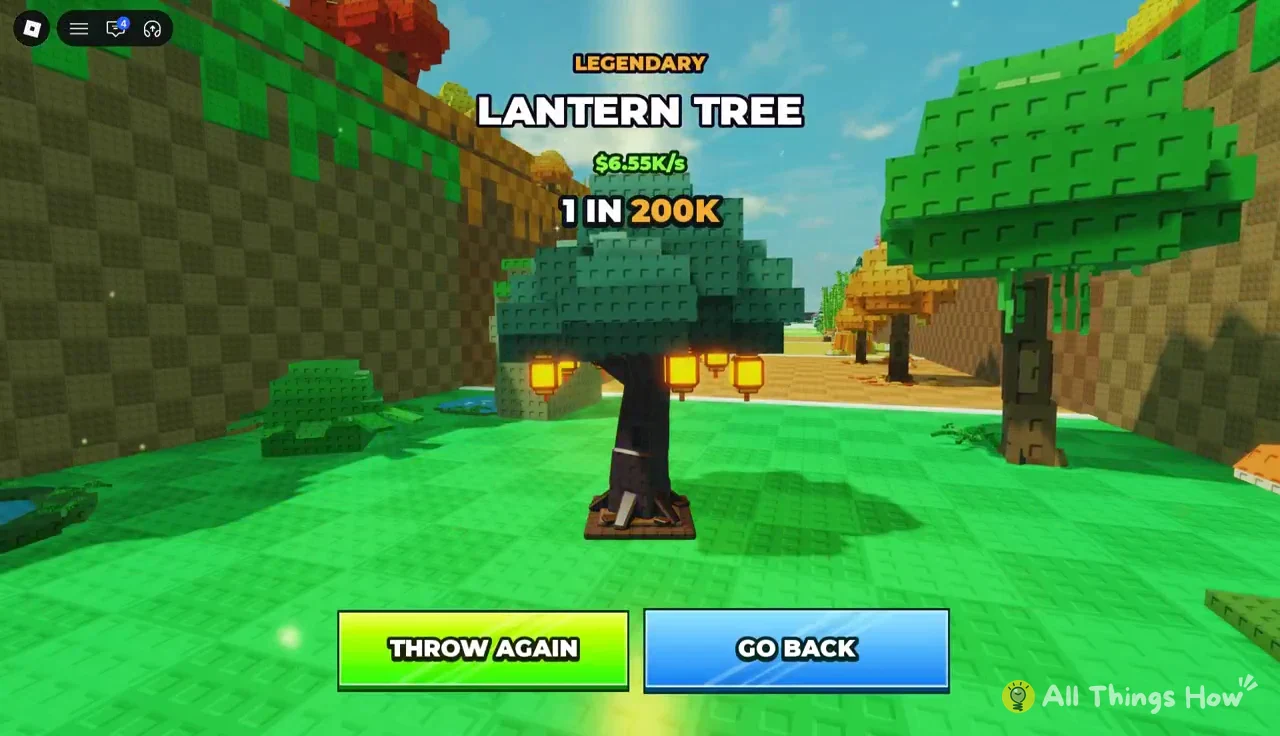
When the seed lands, a fully grown plant appears at that spot. Check the plant's displayed name and rarity, then look for it in your Index to track discoveries. You do not need to wait for it to grow from a small seedling before moving to the garden.
Fish Time Studios advertises 15 zones, 75+ plants and 10 rarities. Passing more zones increases luck, but a long throw does not guarantee a Secret. Use the result shown for your own throw rather than assuming that one distance always produces the same plant.
5. Put plants in your garden
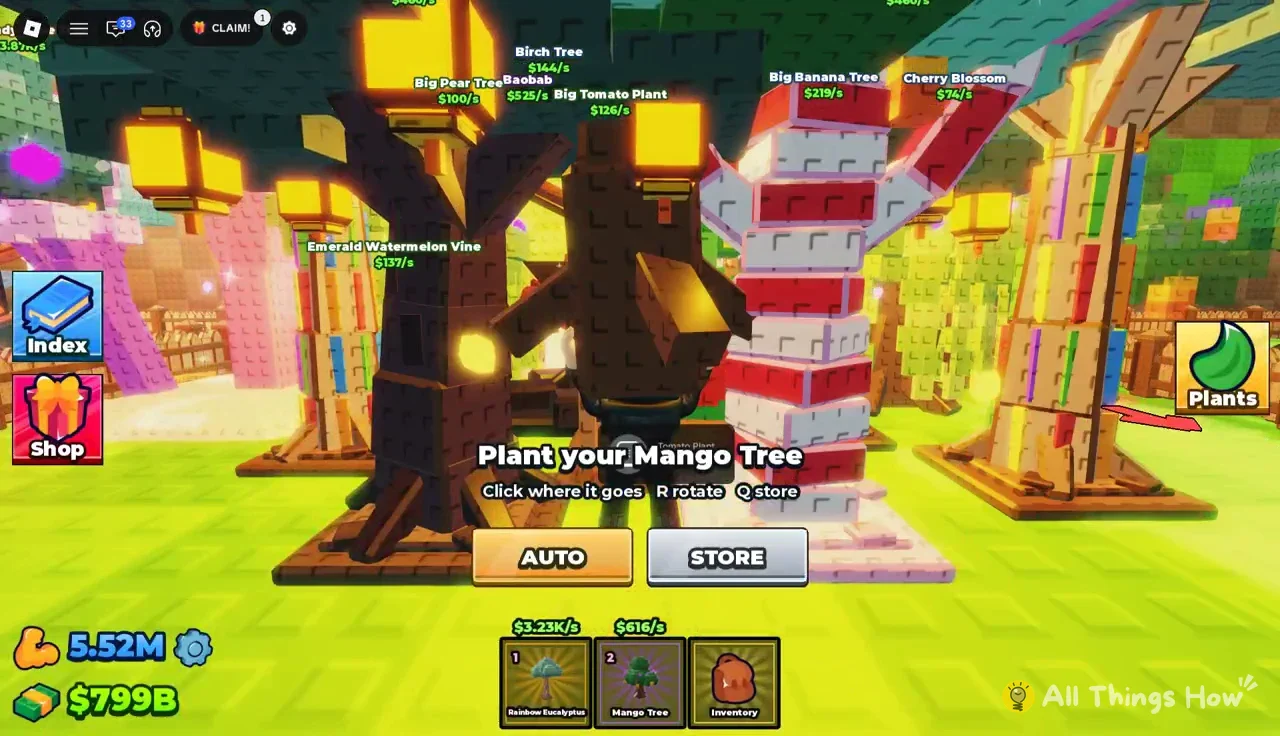
The reveal is not the same as earning income. Move the new plant into the garden, then check that it occupies a space there. The garden system produces cash even while you are offline.
- Open your plants. In the PC guides, the Plants or My Plants menu is where you select a plant you own.
- Choose the plant to place. Enter placement mode, move its preview to a free garden position, and click to place it on PC.
- Adjust it if needed. The PC controls shown in gameplay guides use R to rotate and Q to store during placement; a nearby placed plant can show E / Pick Up to move it again.
- Check the garden after placing. If you are out of room, consider rearranging plants or expanding the garden before collecting more.
| PC action in recordings | Input shown |
|---|---|
| Place plant | Click a free position in your garden |
| Rotate while placing | R |
| Store during placement | Q |
| Pick up an existing plant | E near the plant |
These keyboard inputs come from PC gameplay examples, not a universal control map. On mobile or controller, use the placement and interaction buttons shown by your game. See plant placement in a recorded PC session at 4:50.
6. Decide on your next upgrade
Once your first plant is earning, decide which limit is holding you back. There is no single purchase order that works for every player.
| Problem you see | Try next | Reason |
|---|---|---|
| Throws stop short of the next zone | More pull-ups or a stronger bar | Builds Throw Power and distance. |
| You reach zones but want rarer results | A better seed | Improves the luck component of throws. |
| You cannot place more plants | Garden expansion or swapping plants | Frees capacity for additional income. |
Check your current in-game prices before buying. Once you understand one full loop, return to the Throw a Seed Wiki homepage for the zones, collection and game-event overview.
Gameplay references
The training, throwing, and garden loop is described on Fish Time Studios' Roblox page. For PC controls, watch Raf official TV's gameplay at 1:20 or the November 18 beginner guide. Follow the prompts shown in your current game if a menu looks different.
Frequently asked questions
What if I cannot find the exact PC button shown here?
The video examples show an older PC interface. Use the interaction prompt in your own Roblox session; mobile and controller buttons can differ.
Why did my seed not reach the next zone?
Strength and throw timing both contribute to distance. Train for more Throw Power, then try the timing gauge again rather than treating one throw as a guaranteed result.
Can a plant earn money before I place it in my garden?
The game's described income loop is based on plants placed in the garden. Move the collected plant into an available garden space first.
Can I move a plant after placing it?
PC gameplay guides show a Pick Up prompt near placed plants. Follow that prompt to reposition one, and check the available space before placing it again.