How garden offline income works
In Throw a Seed, placed plants earn income while you are offline. The developer also confirms that expanding your garden lets you fit more plants.
To understand your own earnings, track what you have in your garden and compare your balance when you leave with the balance and offline notice when you return.
Place and manage plants
In Raf official TV’s November 2026 PC gameplay, you can see how plants are picked up, rotated, and placed:
- 1:44: a Pick Up interaction is visible.
- 4:50: a Gold Rift Lotus placement interaction.
- 11:17: an Anglerfish Lantern placement interaction.
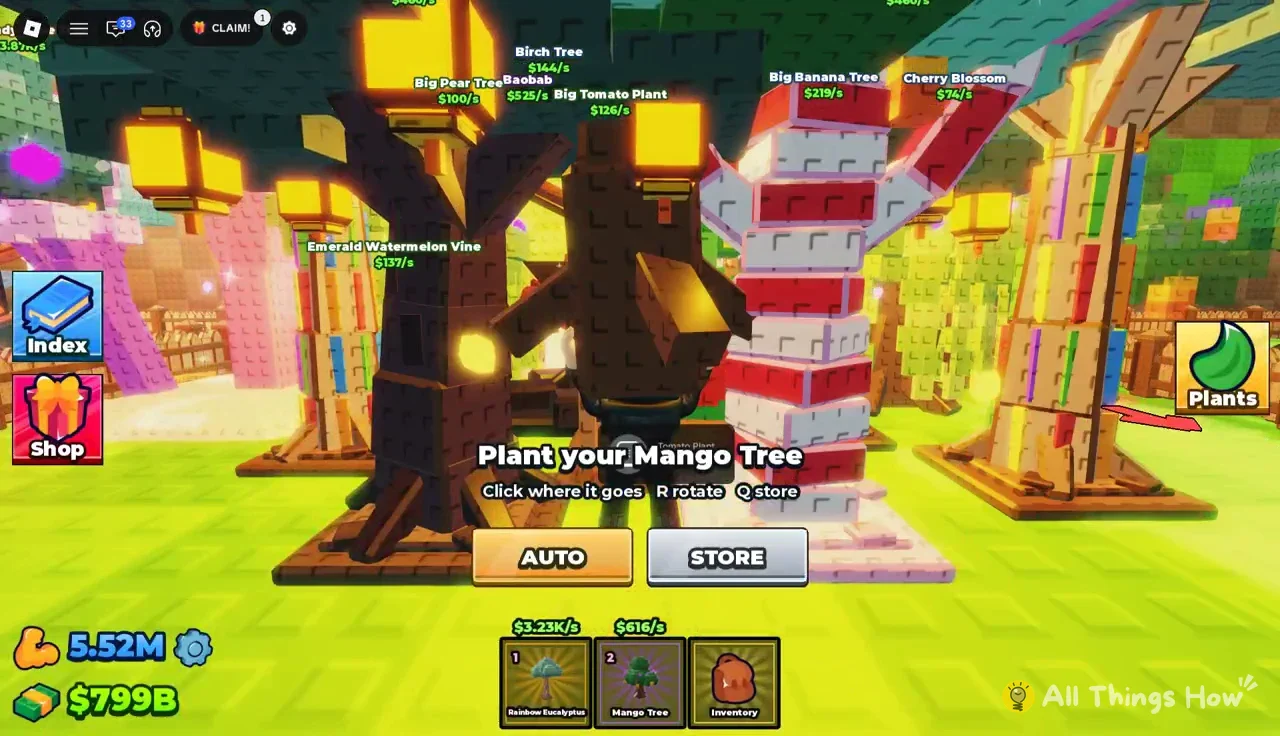
The PC placement screen shows these controls:
- Click to place a selected plant.
- R to rotate during placement.
- Q to store during the demonstrated placement interaction.
The November 2026 PC screen also shows AUTO and STORE buttons. For what each option does in your version, check the label and instructions in the current game.
A practical garden routine is:
- Select a plant from your available selection.
- Move it to the position you want.
- Rotate it if needed using the displayed PC control.
- Check the placement preview.
- Confirm the placement and review your garden.
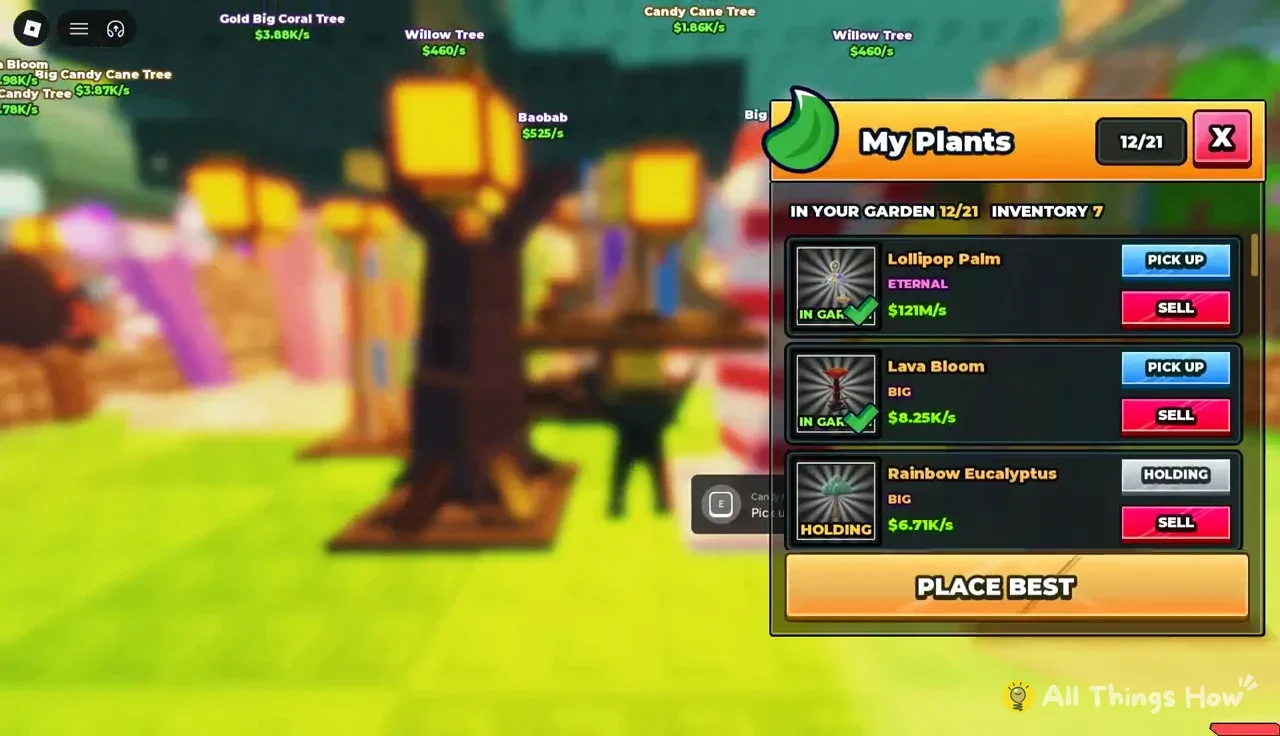
- Use the visible Pick Up interaction when you want to manage an existing placement.
These controls are shown on PC. On a phone or tablet, follow the interaction buttons displayed in your current game.
Make room with garden expansion
Garden expansion gives you room for more plants. At 6:10 in the PC gameplay video, the player sees a garden capacity increase and an expansion offer.
Before upgrading, compare the space offered with how many plants you want to place. Check the current game for the price and capacity shown on your screen.
Measure your offline earnings
Use a simple before-and-after record to check your own offline experience.
Before leaving:
- Record your current balance.
- Record the departure time.
- Note which plants are placed in the garden.
- Record any active boosts shown in your game.
- Note the income information currently displayed.
When you return:
- Record your return time.
- Check your balance.
- Read any offline earnings notice.
- Compare the result with your departure record.
Keep the same plants in place and note any boost changes during the comparison. This makes it easier to understand the result without mixing in additional changes.
A simple hourly estimate may differ from the cash you receive offline. Compare your balance before leaving, after returning, and any offline earnings notice shown by the game.
Use the garden earnings calculator to estimate a total from your measured hourly rate and the time you enter.
For your first garden, follow the Throw a Seed beginner guide.
Frequently asked questions
Do placed plants earn while I am offline?
Yes. The developer confirms that plants placed in your garden earn offline income.
Does garden expansion let me place more plants?
Yes. Expansion increases the garden's plant capacity, allowing more plants to fit.
What does AUTO do?
The November 2026 PC screen shows an AUTO button, but the clip does not explain its effect. Check your current game menu for instructions.